 FerrisKey
MCP and dynamic client registration
An MCP server hands sign-in to an authorization server, and a realm can be that server: it publishes RFC 8414 metadata, lets clients it has never heard of register themselves, and issues tokens whose audience is the MCP server.
An MCP client, such as an editor or a desktop assistant, cannot be registered by hand in every realm it will ever talk to. It either registers itself on the fly or identifies itself with a URL, and the pieces below exist for that.
| Piece | Standard | Default | Purpose |
|---|---|---|---|
| Authorization server metadata | RFC 8414 | Always on | Tells a client where the endpoints are and which registration options exist |
| Dynamic client registration (DCR) | RFC 7591 | Off | A client registers itself with one anonymous POST |
| Client ID metadata documents (CIMD) | IETF draft | Off | A client uses an https URL as its client_id, and the URL serves its description |
| Resource indicators | RFC 8707 | No resource allowed | The resource parameter sets the audience of the token |
FerrisKey is the authorization server only. The protected resource metadata that points a client at it is published by the MCP server, not by FerrisKey.
Settings
All of it lives on the realm. In the console, open Realm Settings, then the MCP tab, titled “MCP / Client registration”.
| Console label | API field | Default |
|---|---|---|
| Dynamic Client Registration | dcr_enabled | false |
| Client ID Metadata Documents | cimd_enabled | false |
| Allowed metadata document hosts | cimd_allowed_hosts | empty |
| Allowed resources | allowed_resources | empty |
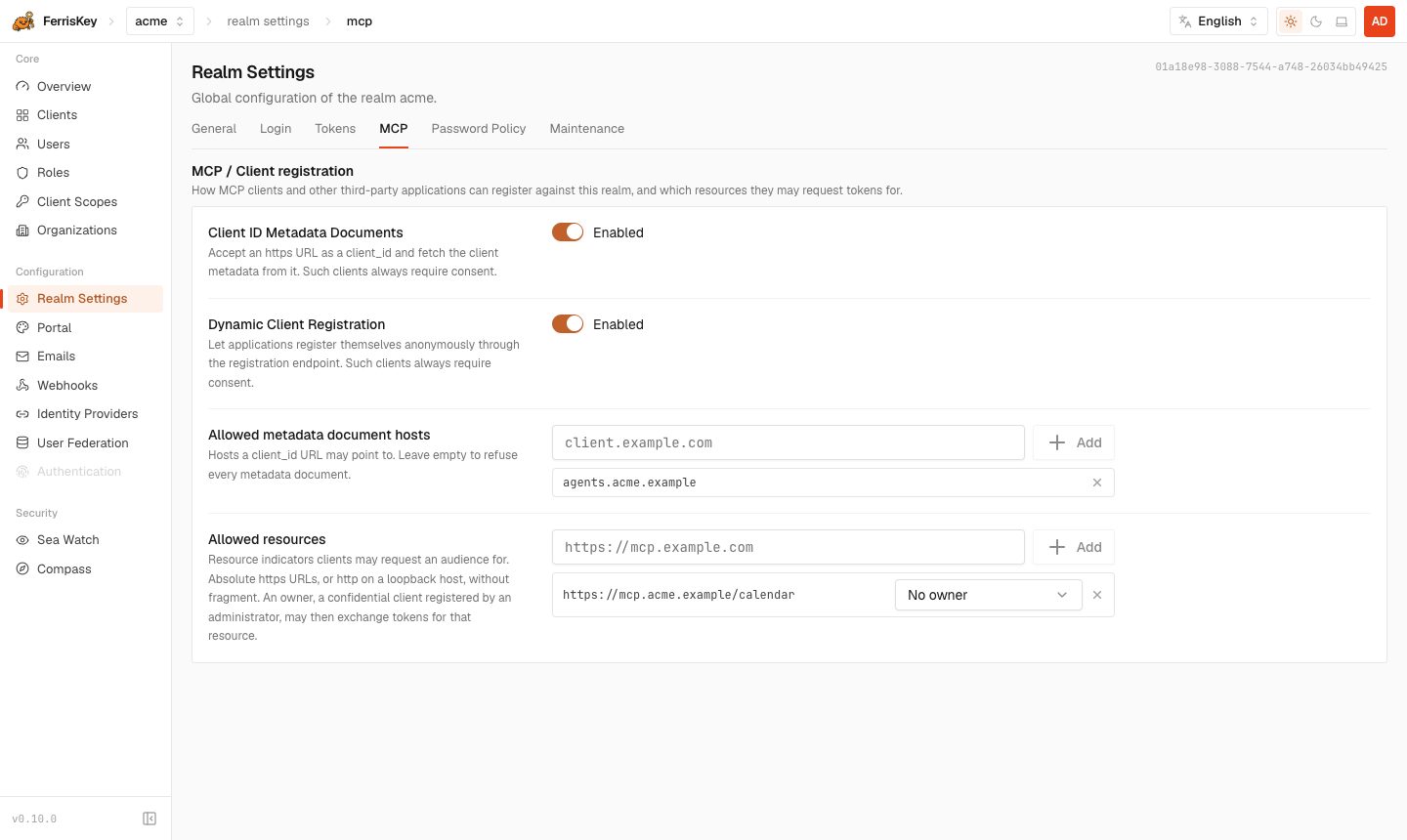
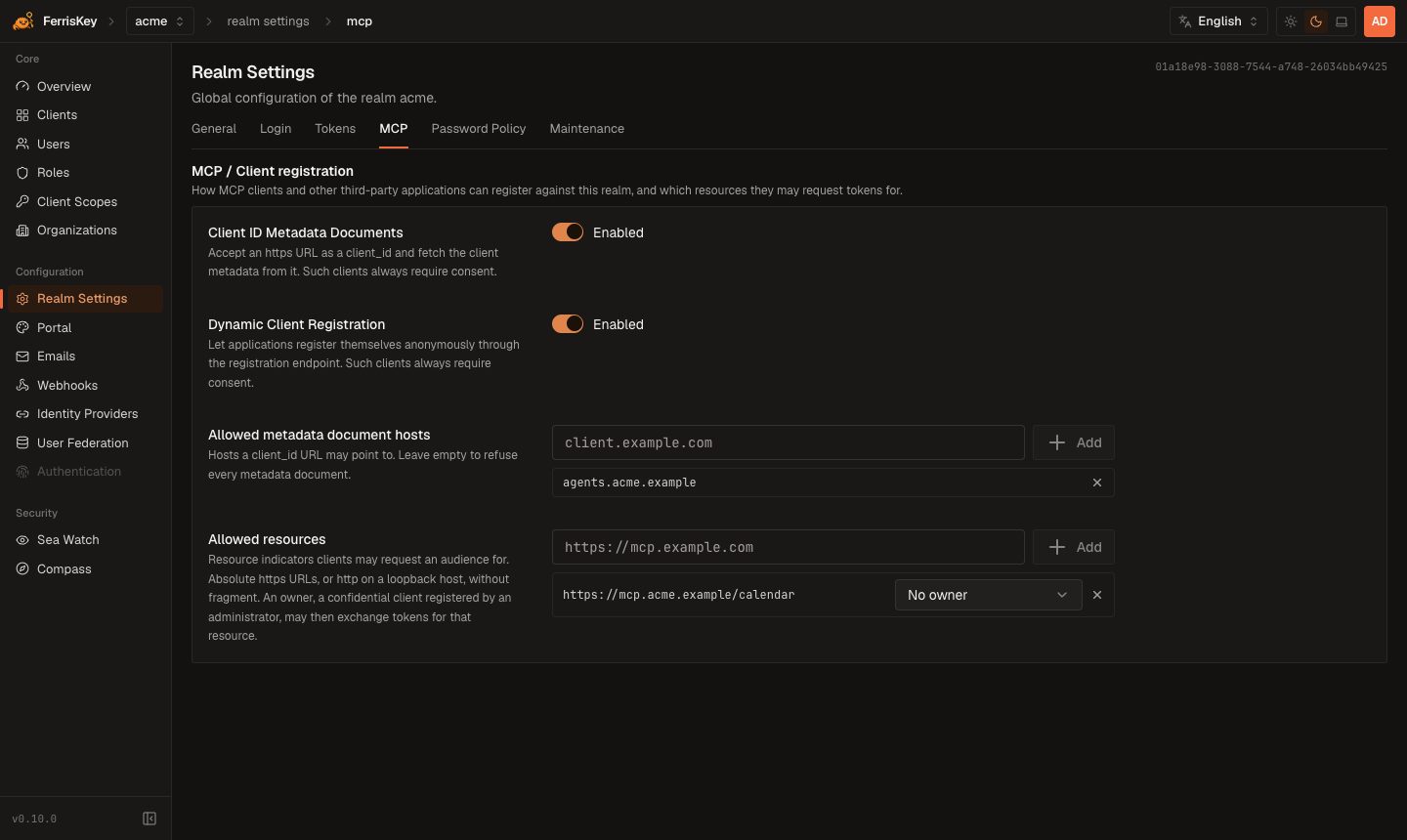
The same fields go through PUT /realms/{realm_name}/settings. Each is optional in the body, and one that you leave out is unchanged.
{
  "dcr_enabled": true,
  "cimd_enabled": true,
  "cimd_allowed_hosts": ["client.example.com"],
  "allowed_resources": ["https://mcp.example.com"]
}
A client created by either route can only ask for the scopes you have opened to it. On a client scope, switch on Available to dynamic clients (CIMD, DCR) (dynamic_registration_allowed, default false). openid, profile, email and roles are always available.
Authorization server metadata
GET /.well-known/oauth-authorization-server/realms/{realm_name}This is the RFC 8414 path-insertion form for an issuer of https://sso.example.com/realms/home. When the API runs under SERVER_ROOT_PATH, the same document is also served under {root_path}/.well-known/oauth-authorization-server/realms/{realm_name} and at the strict form /.well-known/oauth-authorization-server{root_path}/realms/{realm_name}. An unknown realm answers 401.
{
  "issuer": "https://sso.example.com/realms/home",
  "authorization_endpoint": "https://sso.example.com/realms/home/protocol/openid-connect/auth",
  "token_endpoint": "https://sso.example.com/realms/home/protocol/openid-connect/token",
  "jwks_uri": "https://sso.example.com/realms/home/protocol/openid-connect/jwks.json",
  "revocation_endpoint": "https://sso.example.com/realms/home/protocol/openid-connect/revoke",
  "introspection_endpoint": "https://sso.example.com/realms/home/protocol/openid-connect/token/introspect",
  "scopes_supported": ["address", "email", "offline_access", "openid", "organization", "phone", "profile", "roles"],
  "response_types_supported": ["code"],
  "grant_types_supported": [
    "authorization_code",
    "refresh_token",
    "client_credentials",
    "password",
    "urn:ietf:params:oauth:grant-type:device_code",
    "urn:ietf:params:oauth:grant-type:token-exchange"
  ],
  "code_challenge_methods_supported": ["S256"],
  "token_endpoint_auth_methods_supported": ["none", "client_secret_basic", "client_secret_post"],
  "authorization_response_iss_parameter_supported": true,
  "registration_endpoint": "https://sso.example.com/realms/home/clients/register",
  "client_id_metadata_document_supported": true
}
registration_endpoint appears only when dcr_enabled is on, and client_id_metadata_document_supported only when cimd_enabled is on. scopes_supported lists the realm’s client scopes. Authorization responses carry the issuer as iss (RFC 9207), which is what authorization_response_iss_parameter_supported announces.
Dynamic client registration
POST /realms/{realm_name}/clients/registerThe endpoint takes no credentials. The body is a client metadata document:
{
  "client_name": "Reports assistant",
  "redirect_uris": ["http://127.0.0.1:33418/callback"],
  "token_endpoint_auth_method": "none",
  "grant_types": ["authorization_code", "refresh_token"],
  "response_types": ["code"]
}| Field | Rule |
|---|---|
redirect_uris | Required, 1 to 10 entries of at most 2048 bytes. Each is https, or http on a loopback host (localhost, 127.0.0.1, ::1). No fragment and no credentials |
token_endpoint_auth_method | none (a public client), client_secret_basic (the default) or client_secret_post. The last two create a confidential client |
grant_types | Defaults to ["authorization_code"]. Must include it, and may add refresh_token |
response_types | Only code |
scope | Space-separated. Only openid, profile, email, roles and scopes flagged for dynamic clients |
client_name | At most 128 characters. Defaults to “Dynamic client” |
grant_types and response_types are validated and echoed back; FerrisKey does not store them.
A successful call answers 201 with Cache-Control: no-store:
{
  "client_id": "6f0e4c1a-3b5d-4e7f-8a9b-0c1d2e3f4a5b",
  "client_id_issued_at": 1790000000,
  "client_name": "Reports assistant",
  "redirect_uris": ["http://127.0.0.1:33418/callback"],
  "token_endpoint_auth_method": "none",
  "grant_types": ["authorization_code", "refresh_token"],
  "response_types": ["code"],
  "scope": "openid profile email roles"
}
A confidential registration also returns client_secret, with client_secret_expires_at set to 0.
The client that gets created is enabled, requires consent, and has direct access grants, service account and token exchange all off. A public one has PKCE required. openid, profile, email and roles are default scopes. A scope in the request adds the extra scopes it names as defaults. Without scope, every scope flagged for dynamic clients is attached as an optional scope, which the client can then request by name and the user can approve on the consent screen. There is no management endpoint (RFC 7592): after registration the client is an ordinary client in the realm that you manage like any other.
Limits and errors
| Limit | Value |
|---|---|
| Requests per IP address | 10 per minute |
| Registrations per realm | 60 per hour |
| Dynamic clients per realm | 1000 |
Requests count against the first two whether or not they are valid.
| Status | error | When |
|---|---|---|
400 | invalid_redirect_uri | redirect_uris is missing, empty or over 10, or an entry breaks the rule above |
400 | invalid_client_metadata | Any other field is refused, the body is not a metadata document, or the realm already holds 1000 dynamic clients |
404 | not_found | Registration is off for the realm, or the realm does not exist |
429 | too_many_requests | A rate limit was hit. The answer carries Retry-After: 60 |
500 | server_error | The client could not be stored |
Registration is anonymous by design, so anyone who can reach the endpoint can create clients up to those limits. What protects your users is the consent screen, which every dynamic client goes through on every authorization request and which names the client and the host of its redirect URI. Leave dcr_enabled off if you do not need it.
Client ID metadata documents
With cimd_enabled on, a client can skip registration and use an https URL as its client_id:
https://client.example.com/oauth/client.jsonThe first time FerrisKey sees that client_id in an authorization request, it fetches the document, creates a client from it, and keeps it in sync on later requests. The URL has to be at most 255 characters, carry a path other than /, and have no fragment and no credentials.
{
  "client_id": "https://client.example.com/oauth/client.json",
  "client_name": "Reports assistant",
  "redirect_uris": ["http://127.0.0.1:33418/callback"],
  "token_endpoint_auth_method": "none"
}| Rule | Detail |
|---|---|
client_id in the document | Must equal the URL it was fetched from |
redirect_uris | 1 to 10 entries, under the same rules as registration. The redirect_uri of the authorization request must be one of them |
token_endpoint_auth_method | Absent or none. Nothing else is accepted, so these clients are always public |
| Fetch | GET with Accept: application/json. The answer must be 200, application/json (or +json) and at most 5 KiB. Redirects are not followed, and the fetch times out after 5 seconds |
| Network | The host must resolve to a public address. The fetch is pinned to the address it checked |
The client is created public, with PKCE required and consent required. Its name is client_name, or the host when the document has none. FerrisKey caches the document for 5 minutes, or for the max-age of its Cache-Control header up to 24 hours, and does not cache it at all under no-store or no-cache. A failed fetch is cached for 60 seconds.
An empty host list accepts every host
cimd_allowed_hosts holds bare host names, matched exactly and without regard to case. A scheme, a path, a port or a wildcard is refused when you save. With an empty list, any host is accepted. Fill the list before you turn cimd_enabled on.
Limits: each source address may trigger 30 first-time resolutions per minute, and a realm holds at most 1000 metadata document clients. A refused document makes the authorization request fail with 401 and Invalid client, and the reason goes to the server log. A document that does not list the request’s redirect_uri sends the browser to the login page with an error instead. A client_id that is already used by a client registered another way is refused.
CLIENT_METADATA_ALLOW_PRIVATE_ENDPOINTS lets FerrisKey fetch documents over http from loopback and private addresses. It exists for tests. Do not set it in production.
Resource indicators
allowed_resources lists the resources a client may name in the resource parameter (RFC 8707). Each entry is an absolute https URL, or http on a loopback host, with no fragment. A resource is matched as an exact string.
When a request names a resource, the access token gets that resource as its whole audience: aud becomes ["https://mcp.example.com"], replacing the audiences the token would otherwise carry. The parameter is read on:
| Where | Behaviour |
|---|---|
GET .../auth | A resource that is not allowed redirects to the client with error=invalid_target. An allowed one is remembered with the authorization request |
authorization_code grant | Inherits the resource of the authorization request. A different one is invalid_target. If the request named none, an allowed resource may be supplied here |
refresh_token grant | May repeat the resource the refresh token was issued for or leave it out. A different one, or one that has left allowed_resources, is invalid_target |
password and client_credentials grants | Any resource in allowed_resources |
A resource that is not allowed is answered 400 with invalid_target and “The requested resource is not allowed for this realm.” The token exchange grant does not take resource.
Resource owners
A resource can have an owner: a confidential client registered by an administrator. The owner counts as a party to any access token whose audience is its resource, which lets an MCP server use token exchange to call downstream APIs as the user. Without ownership, a token whose audience is only the MCP server’s URL belongs to the client that obtained it, and the exchange is refused with unauthorized_client.
| Method | Endpoint | Description |
|---|---|---|
GET | /realms/{realm_name}/resource-owners | List the owners |
PUT | /realms/{realm_name}/resource-owners | Replace the whole set |
{
  "owners": [
    {
      "uri": "https://mcp.example.com",
      "client_id": "0192f7c4-5e1a-7b3e-9d0c-3a6f1b2c4d5e"
    }
  ]
}
client_id is the client’s UUID. Every uri must already be in allowed_resources and appear once, and every client must be a confidential, admin-registered client of the realm, otherwise the call answers 400. Both calls answer {"data": [...]} with the same entries. The console sets owners with the picker next to each allowed resource (“No owner” when empty). An owner only matters while its resource stays in allowed_resources.
A worked example
An MCP server at https://mcp.example.com trusts the realm home on https://sso.example.com. You have turned on dcr_enabled, added https://mcp.example.com to the allowed resources, and flagged a scope named mcp:tools as available to dynamic clients.
sequenceDiagram
    participant C as MCP client
    participant M as MCP server
    participant FK as FerrisKey
    participant U as User

    C->>M: Request without a token
    M->>C: 401, protected resource metadata names the realm
    C->>FK: GET /.well-known/oauth-authorization-server/realms/home
    FK->>C: Metadata with registration_endpoint
    C->>FK: POST /realms/home/clients/register
    FK->>C: 201 with client_id
    C->>U: Open the authorization URL, with resource and PKCE
    U->>FK: Sign in, then consent
    FK->>C: Redirect with code and iss
    C->>FK: POST /token with code_verifier and resource
    FK->>C: Access token with aud = MCP server
    C->>M: Request with the access token
Find the authorization server
The MCP server answers an unauthenticated request with 401 and points at its protected resource metadata, which names https://sso.example.com/realms/home as the authorization server. FerrisKey plays no part in that step. The client then reads the realm’s metadata from https://sso.example.com/.well-known/oauth-authorization-server/realms/home and finds registration_endpoint.
Register
curl -X POST https://sso.example.com/realms/home/clients/register \
  -H 'Content-Type: application/json' \
  -d '{
    "client_name": "Reports assistant",
    "redirect_uris": ["http://127.0.0.1:33418/callback"],
    "token_endpoint_auth_method": "none"
  }'
The answer holds a client_id such as 6f0e4c1a-3b5d-4e7f-8a9b-0c1d2e3f4a5b. No scope was sent, so mcp:tools is now an optional scope of that client.
Send the user to authorize
The client generates a PKCE verifier and opens the browser on:
https://sso.example.com/realms/home/protocol/openid-connect/auth
  ?response_type=code
  &client_id=6f0e4c1a-3b5d-4e7f-8a9b-0c1d2e3f4a5b
  &redirect_uri=http%3A%2F%2F127.0.0.1%3A33418%2Fcallback
  &scope=openid%20mcp%3Atools
  &state=k3j9x
  &code_challenge=E9Melhoa2OwvFrEMTJguCHaoeK1t8URWbuGJSstw-cM
  &code_challenge_method=S256
  &resource=https%3A%2F%2Fmcp.example.com
The user signs in. Because the client registered itself, the consent screen follows, shows “Application served from 127.0.0.1”, and lists mcp:tools under “Choose what to share”.
Receive the code
After the user clicks Allow, the browser is redirected to the client:
http://127.0.0.1:33418/callback?code=Ab3...&state=k3j9x&iss=https%3A%2F%2Fsso.example.com%2Frealms%2FhomeThe client checks iss and state before it uses the code.
Redeem it
curl -X POST https://sso.example.com/realms/home/protocol/openid-connect/token \
  -d grant_type=authorization_code \
  -d client_id=6f0e4c1a-3b5d-4e7f-8a9b-0c1d2e3f4a5b \
  -d code=Ab3... \
  -d redirect_uri=http://127.0.0.1:33418/callback \
  -d code_verifier=$VERIFIER \
  -d resource=https://mcp.example.com
The access token comes back bound to the MCP server. Its payload, abridged:
{
  "iss": "https://sso.example.com/realms/home",
  "sub": "8d1f3c52-0a4e-4d1c-9a57-2f0a1c9e7b11",
  "aud": ["https://mcp.example.com"],
  "azp": "6f0e4c1a-3b5d-4e7f-8a9b-0c1d2e3f4a5b",
  "typ": "Bearer",
  "scope": "openid email mcp:tools profile roles"
}
Validate it on the MCP server
The MCP server checks the signature against the jwks_uri, then iss, then that aud contains https://mcp.example.com, then the scopes it needs. A token issued for another resource fails the aud check.