 FerrisKey
Consent
Consent is the step where a signed-in user approves what a client is about to receive, before FerrisKey issues the authorization code.
FerrisKey shows the screen for clients you do not fully control, such as applications that registered themselves, and for any client you flag yourself. The screen asks about optional scopes only. Default scopes are part of the client’s definition, so the user sees them listed but cannot decline them.
Which clients require consent
| Client | Consent |
|---|---|
Registered by an administrator, consent_required is false | Never. This is the default |
Registered by an administrator, consent_required is true | When the rules below say so |
| Registered by dynamic registration or a client ID metadata document | Always, and the flag cannot turn it off |
consent_required can be set through the API only, on POST /realms/{realm_name}/clients or PATCH /realms/{realm_name}/clients/{client_id}. The console has no switch for it.
{
  "consent_required": true
}
When the screen appears
The screen is a step of the authorization code flow, after the user has authenticated and before the code is issued.
| Situation | Screen |
|---|---|
| The client does not require consent | No. Everything requested is granted |
The request names no optional scope and carries no prompt=consent | No. Only the default scopes are granted |
| The request names optional scopes, and no live stored decision covers them all | Yes |
| A live stored decision covers every optional scope requested | No. The scopes of that decision are granted |
The request carries prompt=consent | Yes, even with a stored decision and even with no optional scope |
| The client registered itself | Yes, on every authorization request |
A stored decision covers a request when each optional scope in it was either granted or refused before. A refusal is remembered as well: until the decision expires, the same request does not ask again and the client gets only the default scopes.
prompt=none never shows a screen. When the user has a live SSO session and consent would be needed, the client is sent back to its redirect_uri with error=consent_required. Without a session it gets login_required.
The screen
The user lands on the portal page /realms/{realm_name}/authentication/consent. It names the client, lists the default scopes under “Always granted”, and lists the requested optional scopes under “Choose what to share”, each pre-checked and each with the description set on the client scope. The buttons are Allow and Deny.
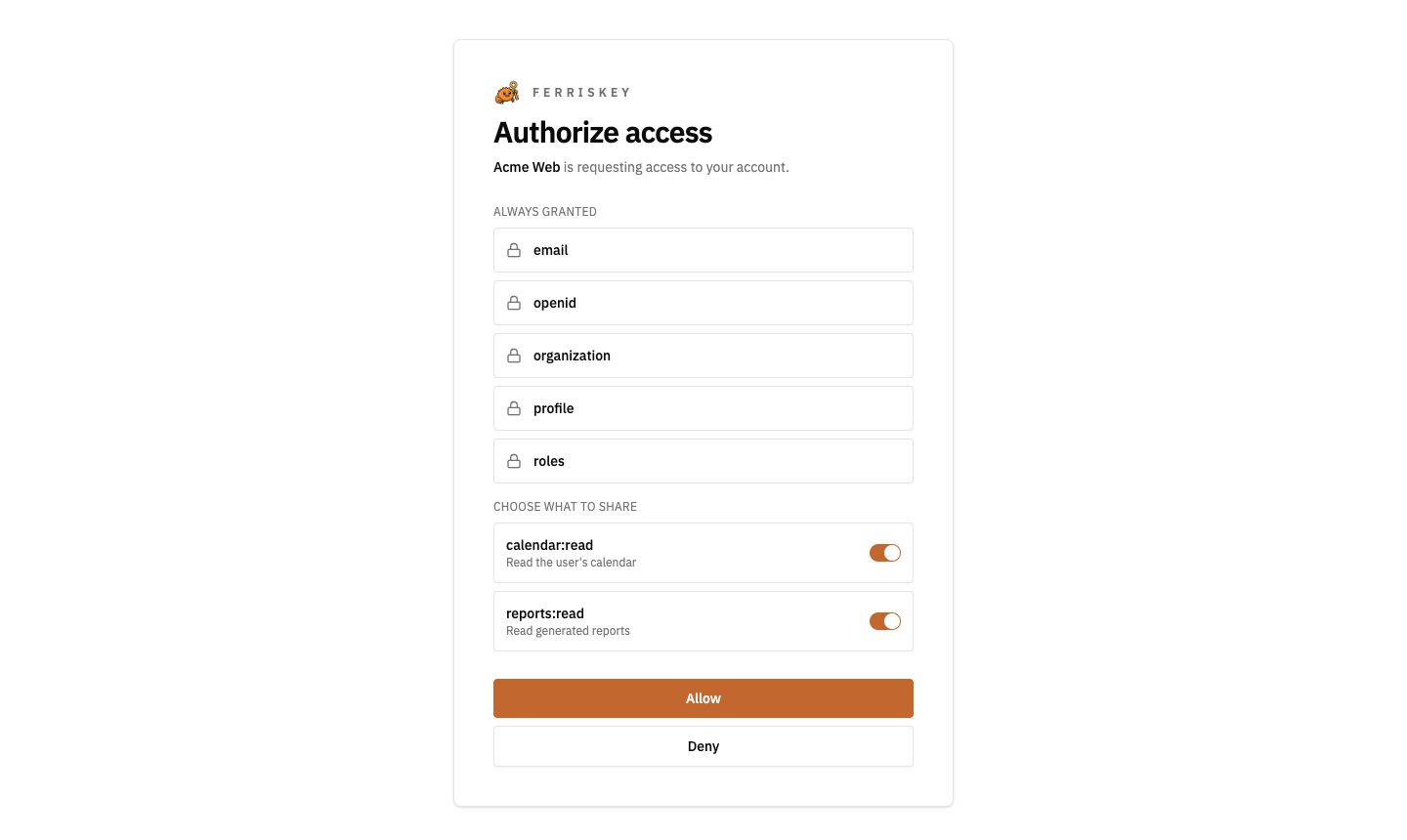
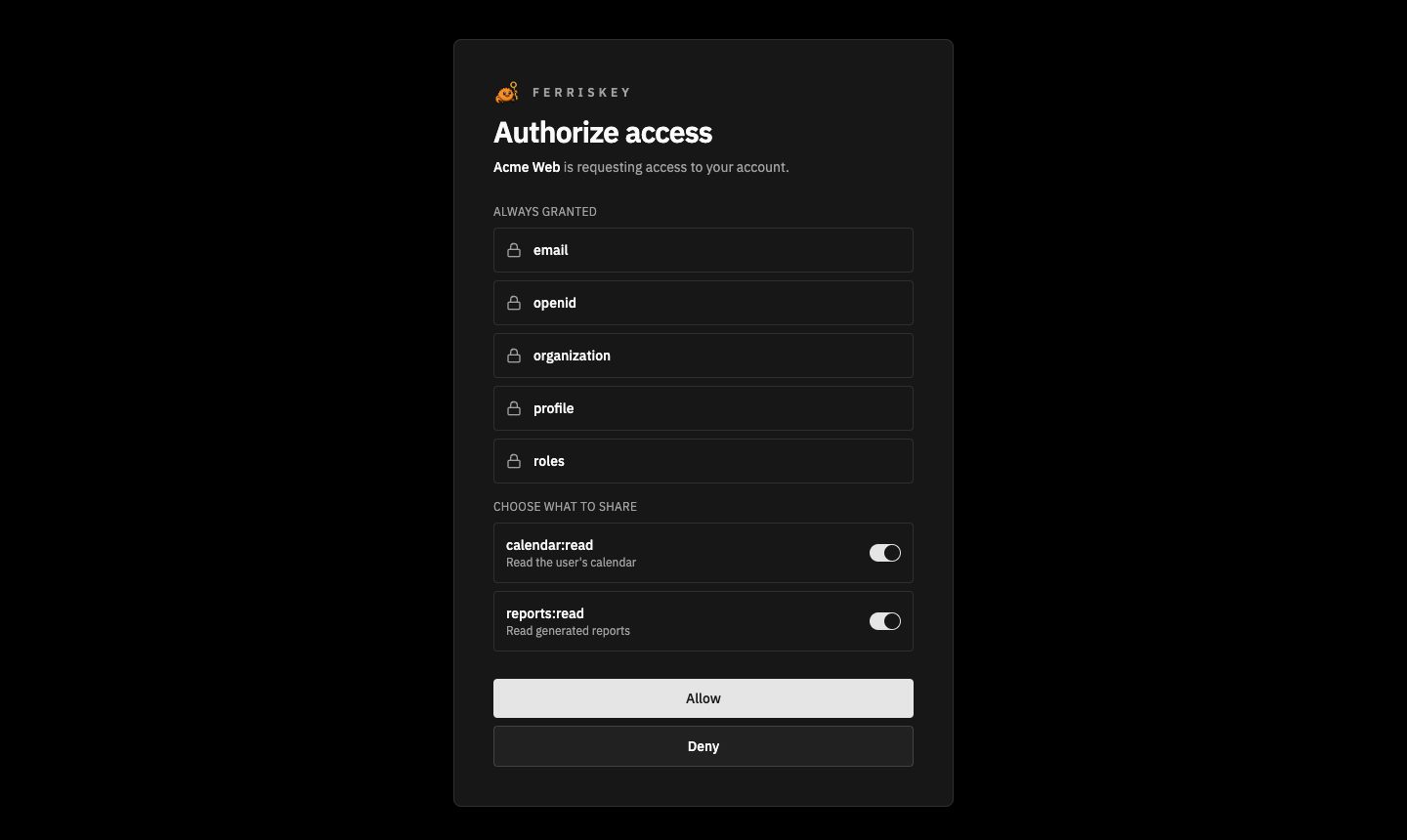
For a client that registered itself, the screen also shows “Application served from” and a host name: the host of the first redirect URI for a dynamically registered client, the host of the client_id URL for a metadata document client. An administrator-registered client shows no host line.
The page is themeable. In a portal theme it is the page type consent, labelled Consent in the console, and it must contain the blocks consent_scopes, consent_allow_button and consent_deny_button. Saving the page, or activating the theme, fails while one of them is missing. See the Portal module.
The device flow has its own approve and deny screen. It is a different page and a different mechanism, and this page does not cover it.
The decision
Allow with some optional scopes checked grants those scopes. Allow with all of them unchecked, or Deny, refuses the optional scopes the client asked for. In both cases FerrisKey stores the decision.
| What is stored | Detail |
|---|---|
| Key | One decision per user and client in a realm. A new decision replaces the previous one |
| Content | The optional scopes granted and the ones refused |
| Lifetime | 30 days from the moment it is made |
The 30 days cannot be changed through the API or the console. FerrisKey also offers no endpoint or console page to list or withdraw a stored decision.
What happens next depends on the choice:
| Choice | Result |
|---|---|
| Every optional scope granted, or some of them | The flow continues and the client receives its authorization code. The scope of the tokens is narrowed to what was granted |
| Every optional scope the client asked for refused | The user is redirected to the client’s redirect_uri with error=access_denied, echoing state and adding iss. No code is issued |
Deny only withdraws optional scopes. A forced screen on a request that names none has nothing to refuse, so both buttons let the sign-in continue.
Narrowing the scope
When the client redeems the code at the token endpoint, FerrisKey drops every optional scope from the scope of the request unless the user’s live decision granted it. Default scopes are never removed. The refresh token carries the narrowed scope, so refreshed access tokens keep it.
The check uses the decision at redemption time. A decision that expired between the screen and the token request leaves the optional scopes out.
Every way of signing in
The consent check runs wherever a sign-in can finish, not only on the password form:
- password, one-time code, recovery code, magic link, and passkey sign-in;
- the end of a password reset, and self-service registration inside an authorization request;
- resuming an existing SSO session;
- returning from an external identity provider.
Consent exists since 0.9.0. Releases before 0.10.0 did not apply it on all of these paths, so use 0.10.0 or later if you rely on it for anything other than the password form.
The consent endpoints
The portal drives two endpoints. You only need them if you build your own consent page.
| Method | Endpoint | Description |
|---|---|---|
GET | /realms/{realm_name}/auth/consent?consent_token=... | What the screen shows |
POST | /realms/{realm_name}/auth/consent | Submit the decision |
The consent_token arrives in the portal URL. It is single use, it expires with the authorization request, and it only works from the browser that started the request: the call must carry the FERRISKEY_SESSION cookie of that request. An unknown, used or expired token, or a cookie that does not match, answers 404.
{
  "client_name": "Reports app",
  "client_uri_host": "reports.example.com",
  "granted_by_default": [
    { "name": "openid", "description": null },
    { "name": "profile", "description": null }
  ],
  "awaiting_decision": [
    { "name": "reports:read", "description": "Read your reports" }
  ]
}
{
"consent_token": "...",
"approved_scopes": ["reports:read"]
}{
"redirect_url": "https://reports.example.com/callback?code=...&state=...&iss=https%3A%2F%2Fsso.example.com%2Frealms%2Fhome"
}An empty approved_scopes is a refusal. The browser follows redirect_url, which points at the client with a code, or with error=access_denied. When the decision opens an SSO session, the response also sets the SSO cookie.